Tricks to find a meaningful job on LinkedIn
How we use LinkedIn to search for jobs at organizations that make a positive impact in the world
By Daniel Burka

In many countries, LinkedIn is still the best place to find job listings. But it’s a swamp. There are millions of jobs listed and it can be hard to find a job that actually stands a chance of making a difference in the world. With a few simple tricks, you can find a job to be proud of.
AI Search on LinkedIn
LinkedIn has a new AI-powered jobs search engine that is quite good! We use this search query to populate the Hard Problems jobs board with relevant roles:
product design or copywriting or ux design or user research roles in the sector climate change or public health or healthcare posted in the past 24 hours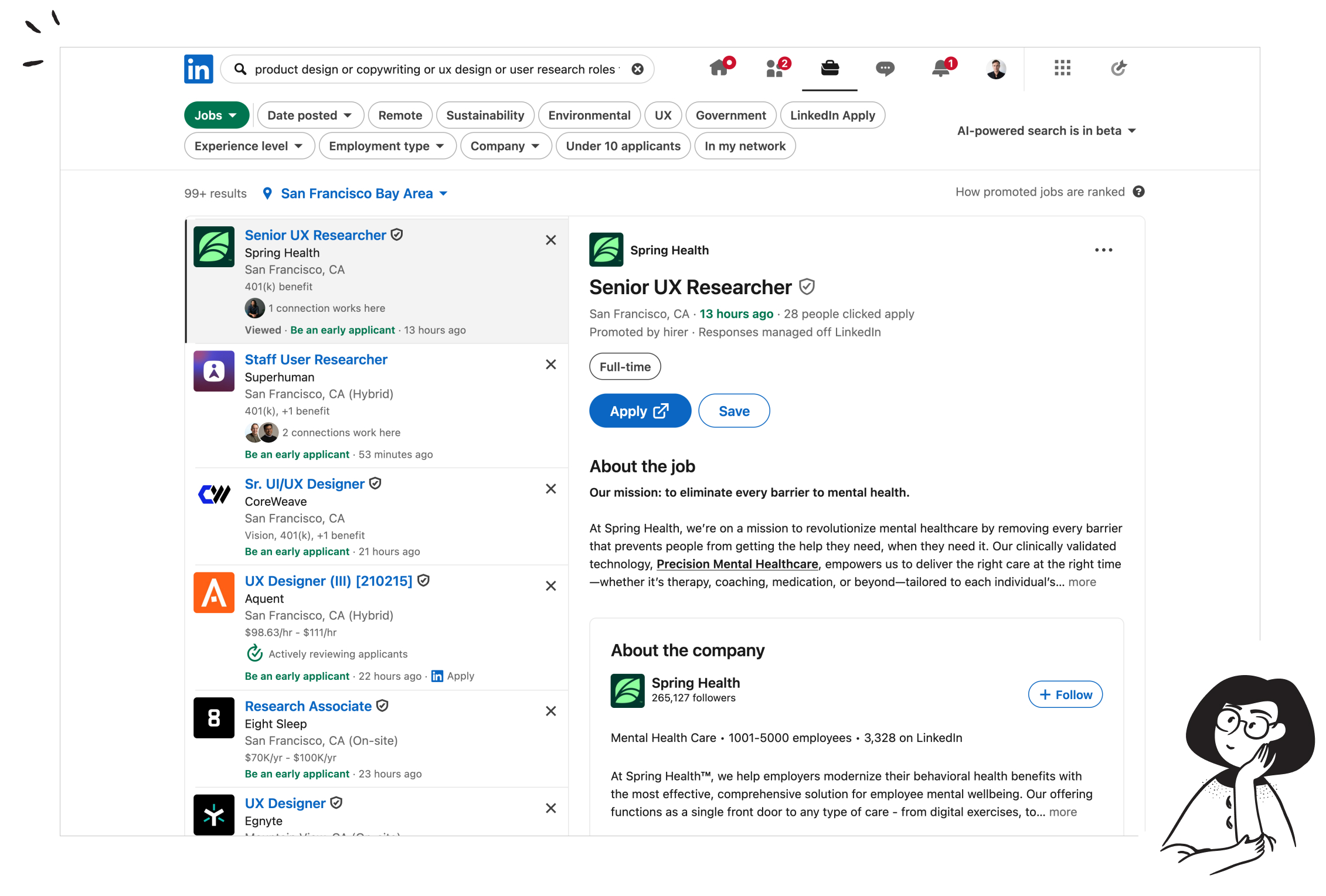
Why these search terms?
- Job titles: “UX” “Product design” “Service design” “Graphic Design” filters for design roles. If you just use “Design” the results will include too broad of a spectrum of design (e.g. architectural design or program design roles)
- Sector: “climate change” “healthcare” and “public health” filters are useful. LinkedIn still includes a lot of adjacent roles, but this works ok. You might want to include words like “Government” “Civics” “Education” etc. depending on the sectors that you’re passionate about.
- Seniority: Add words like “Senior” to filter out more junior roles
Tips & tricks for searching
Filter by recency
By default, LinkedIn will include many stale roles. You will be more successful by finding roles that are <3 weeks old. In some cases, you’ll also increase your odds of landing the role (many organizations hire on a rolling basis and review applications as they come in).
Enter multiple job titles
“Design” is too expansive, but designers have so many different overlapping job titles that specific titles like “UX design” might limit your results too much. We like using multiple titles like “Product Design”, “UX design”, “Interface Design”, “UI Design”, “Mobile Design”, etc. together in one search.
Try specific locations
The LinkedIn AI search is specific to regions. In some places, you can search entire geographies (e.g. “South East Asia”) but more specific locations yield stronger results. Try “USA” or “India” but then also try “San Francisco” or “Mumbai” and you’ll get better results, including results that were missing from the broader search.
Set up email reminders
This may sound obvious, but set yourself daily or weekly email reminders. LinkedIn lets you set up multiple alerts that send new and relevant opportunities to your inbox every morning. This is the best way to ensure you don’t miss new job opportunities that are posted.
Apply for jobs that don’t exist
We know this isn’t easy, but many of the best jobs (especially for senior talent) don’t exist on job boards. If you are a design leader, consider using LinkedIn to search for companies and organizations in your region that are hiring for adjacent roles (e.g. software engineering or product roles) and then network your way to the CTO, CEO, COO, etc. and pitch yourself.
You can also use free tools like Apollo.io to find the email addresses of key members of staff and send them a punchy, direct email. This can be very effective if you get the content right.